WA Group 🏹 Live Webinar, Sun
Support

Frequently Asked Questions

Everything about creating your account, what happens after you register, taking a course, and how Trading Direction's strategies work.

Account & Registration

How do I create an account with Trading Direction?
You need to create an account before taking a course. Click on the Menu icon (three horizontal lines) on the top left of the Store screen. From the opened menu, click Login/Register, then Sign Up. Enter your email ID and password to register for an account.
How to use Access Codes?
You need an account on the app to use access codes. After a successful login, click the Menu icon on the top left of the Store screen, then click My Courses. On the opened screen, click the Gift icon on the top right and enter your access code. The respective course will be added to your My Courses section.

After Registration Process

What are my next steps right after registering?
Welcome to Trading Direction! Thank you for registering. Here's what to do next:
  1. Check your registered email ID for your welcome email.
  2. Log in to your account using the same registered email ID on www.tradingdirection.in.
  3. Open Active Courses and start watching the step-by-step video course — also available on the Trading Direction mobile app.
  4. Inside the course (and in your email), you'll find the Version 3 Indicator Request Link — submit the request form.
  5. Our team will review and approve your request within 24 hours.
  6. Once approved, you'll receive access to join the Sunday Live Session.
Thank you for joining the Trading Direction Smart Trader Program — we wish you a successful trading journey!
What happens immediately after I register?
Once your sign-up is successful, your account is created instantly and you're logged into the Store screen. If you registered using a course link or access code, that course is added to your My Courses section right away; otherwise you can browse and purchase courses from the Store.
Will I get a confirmation email after registering?
Yes. A confirmation email is sent to your registered email address once sign-up is complete. If you don't see it within a few minutes, check your Spam or Promotions folder before reaching out to support.
How do I access my course after registering?
Open the Menu icon on the Store screen and click My Courses. Every course you've purchased or unlocked with an access code appears here — tap the course image to start learning.
Do I get added to a WhatsApp community after registration?
Yes, most courses include a link to join the dedicated WhatsApp community for updates, doubt-clearing, and announcements. You'll find the join link inside your course content or in your confirmation email.
Will I be notified about live webinars after registering?
Yes. Registered students receive notifications for upcoming live webinars and sessions through email and, where applicable, the WhatsApp community linked to their course.
Can I access my course on mobile after registering?
Yes, your account and all enrolled courses are accessible on both the mobile app and the website using the same registered email and password.

Video Tutorials & Live Sessions

Where can I watch the V3 + Algo setting video on TradingView?
Watch the full V3 + Algo indicator setting walkthrough on TradingView here: V3 + Algo Setting Video on TradingView ▶ Watch on YouTube — V3 + Algo Setting Video
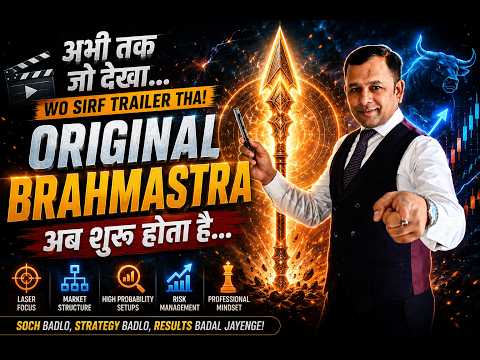
How do I register for the CPR Brahmastra Sunday Live Session?
CPR Brahmastra — master intraday structure with a plan instead of tips, guesswork, or too many indicators. Sessions run every Sunday, 7:45 PM – 9:30 PM, and cover trading with Plan A, B, C.
What is the Narrow CPR Screener and how do I register?
The Narrow CPR Screener helps you learn the logic behind identifying high-probability breakout setups and high-profit trading days using the CPR Brahmastra framework.

Programs, App & Feedback

What is the Smart Trader Program (Intraday Trading Mastery Package)?
The Smart Trader Program combines CPR, Price Action, and Smart Money Concepts into a structured intraday trading formula. It includes:
  • 12+ Advanced Intraday Strategies
  • CPR V3 Indicator included as a bonus
  • Narrow CPR Screener access
Built for traders who want to stop random trading and start strategy-based trading.
What are the benefits of the Trading Direction app?
Download the Trading Direction app from Google Play to get:
  • Access to all your purchased trading courses anytime, anywhere
  • High-quality course and tutorial videos
  • Live webinars and live trading sessions, directly from the app
  • Intraday Trading, Futures & Options, Swing Trading, and Price Action lessons with practical market examples
  • Study material, PDFs, charts, and trading notes in one place
  • Learning progress synced across devices, so you can continue where you left off
  • Structured learning paths, from beginner to professional trader
How can I share feedback or leave a review?
We'd love your feedback! Search "Trading Direction" on Google or Google Maps and click Write a Review, or use the direct link below — it only takes a minute.

Courses & Learning

How to take a course?
After you've purchased a course or used its access code, the course is added to your My Courses section. Click on the course image to start the course.
Are the courses suitable for beginners?
Yes. Trading Direction's courses are structured to take students from the basics of market structure through to strategy-based frameworks like the CPR Brahmastra Strategy, so prior trading experience isn't required to get started.

Trading & Strategy

What is the CPR Brahmastra Strategy?
The CPR Brahmastra Strategy is Trading Direction's core educational framework built around Central Pivot Range (CPR) analysis and the WDP Sequence, taught to help students understand how to read market structure across NIFTY futures, spot, and options charts.
What is NIFTY options trading?
NIFTY options trading involves buying or selling call (CE) and put (PE) contracts based on the NIFTY 50 index, allowing traders to take positions on the index's direction, volatility, or hedge existing exposure within a defined risk.
Do you provide stock tips or buy/sell recommendations?
No. Trading Direction is an educational platform. All content, courses, and webinars are for learning market analysis and strategy frameworks — they are not buy/sell recommendations or investment advice.
Educational content only. Trading Direction is not a SEBI-registered investment adviser or research analyst. Stock market trading and investing involve risk of loss; please consult a SEBI-registered advisor before making investment decisions.
Do you guarantee profits from your courses?
No course or strategy can guarantee profits. Our courses teach analytical frameworks and risk-management principles; actual trading outcomes depend on market conditions, execution, and individual risk management.
How much capital do I need to start trading?
There's no fixed minimum — it depends on the instrument and position sizing you choose. Our courses cover position sizing and risk management so you can decide a capital allocation that fits your own risk appetite.
What is the WDP Sequence?
The WDP Sequence is a component of the CPR Brahmastra framework used to read Weekly, Daily, and intraday Price structure together, helping students build a step-by-step approach to identifying trend and trap zones.

Troubleshooting

I have issues with login, what should I do?
Check the spelling of your registered email ID. If it's correct, click Forgot Password on the login screen to reset it — a new password will be sent to your registered email. If the issue persists, email stocktradingdirection@gmail.com with the issue details; you'll get a reply within 48 hours.
I am unable to access the course, what should I do?
Check that you're using the same email used to purchase the course or redeem the access code, and confirm its spelling. Verify the course appears in your My Courses section. If it's still not available, email stocktradingdirection@gmail.com.
How to report an issue on the app?
For any other issues, email stocktradingdirection@gmail.com with the complete issue details.

STILL HAVE A QUESTION?

Ask Any Question to our AI — Get Quick Answer

Skip the wait. Our AI assistant can answer questions about your account, courses, and the CPR Brahmastra Strategy instantly.

Ask Our AI Now